
If you want to remove a team affiliation, you can do it easily and quickly. Simply follow these steps:
Note: Even though you are unaffiliating with a team, any game credits they received from you during your time affiliated with them will still be theirs.
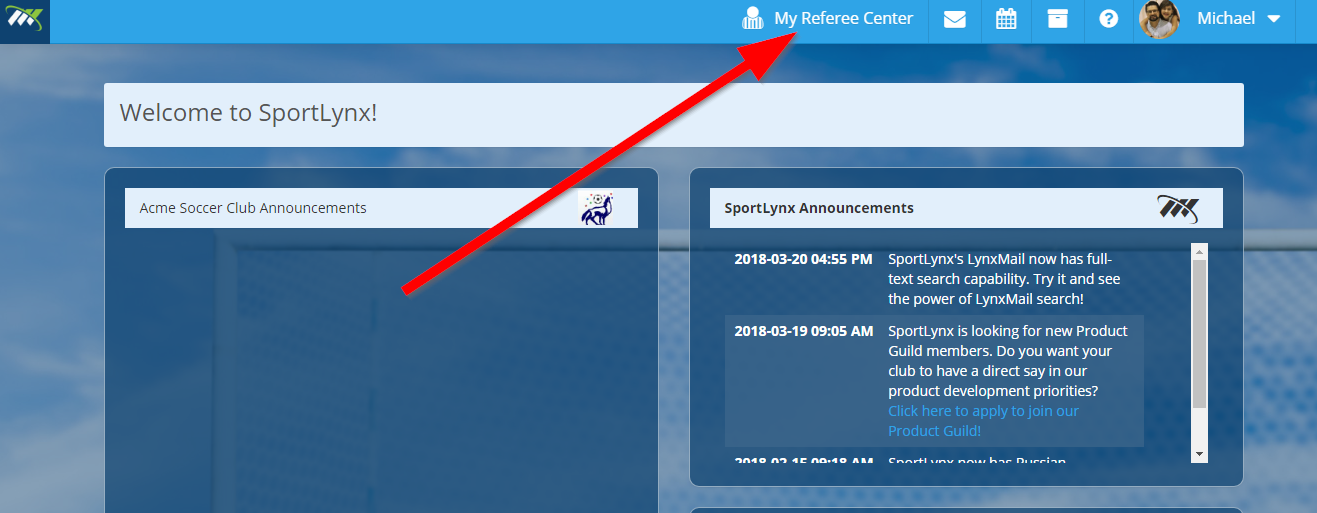
Step 1: Click on My Referee Center on the dashboard.
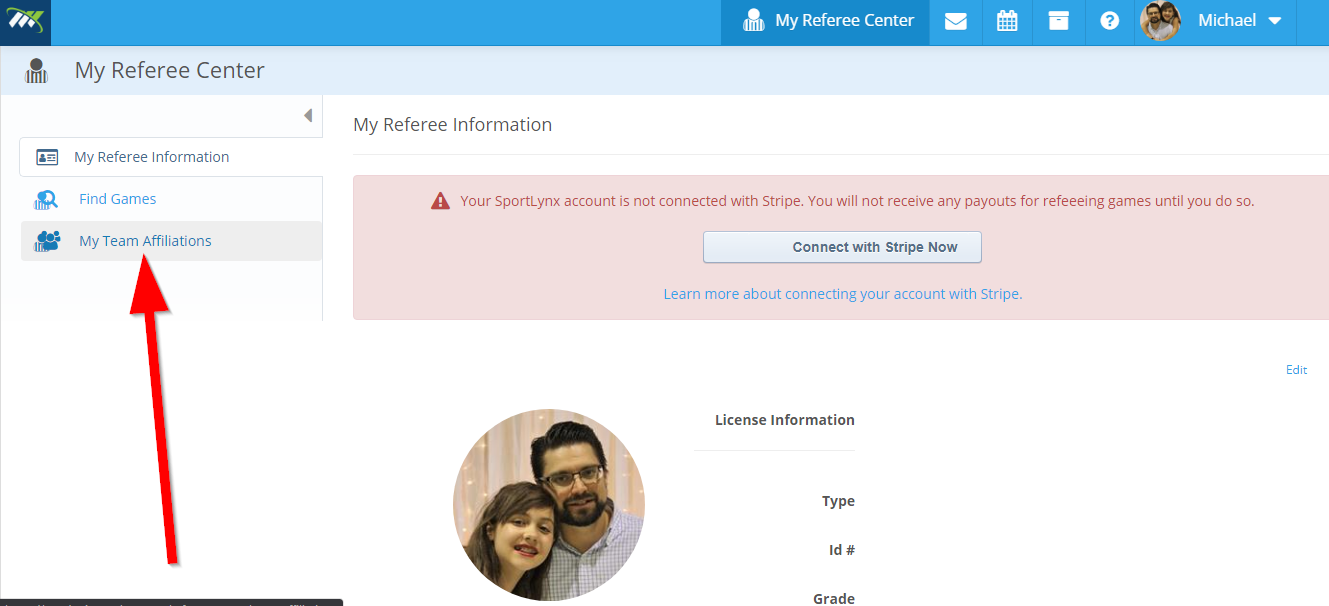
Step 2: Click on My Team Affiliations in the left navigation.
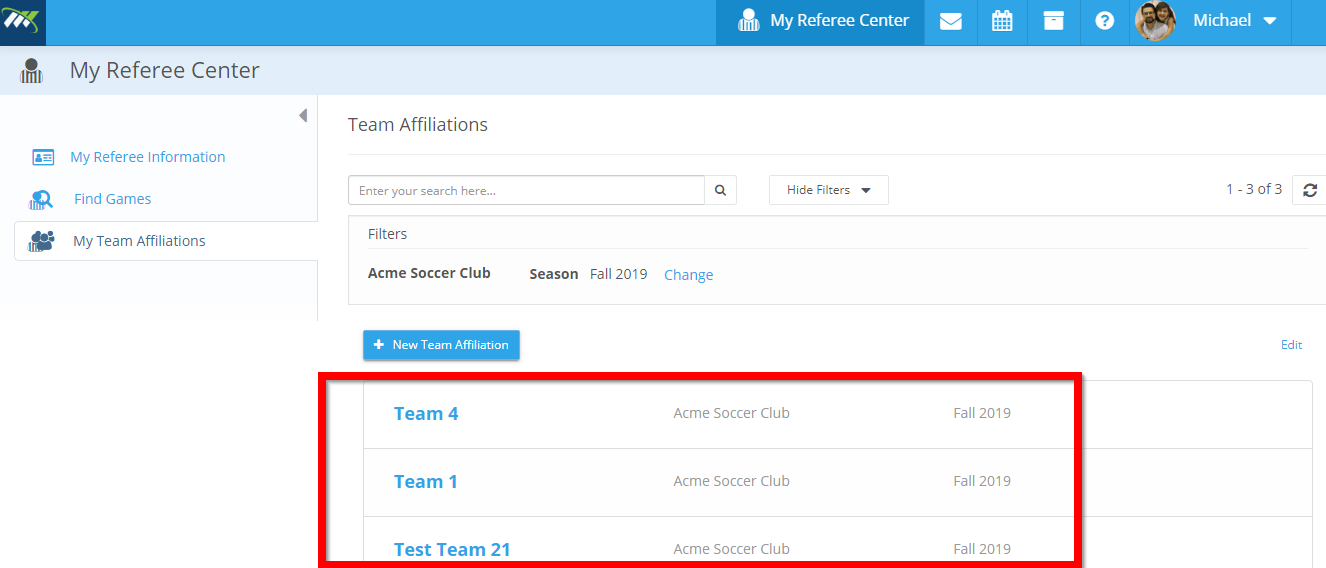
Step 3: On the next window, you will see the list of your team affiliations.
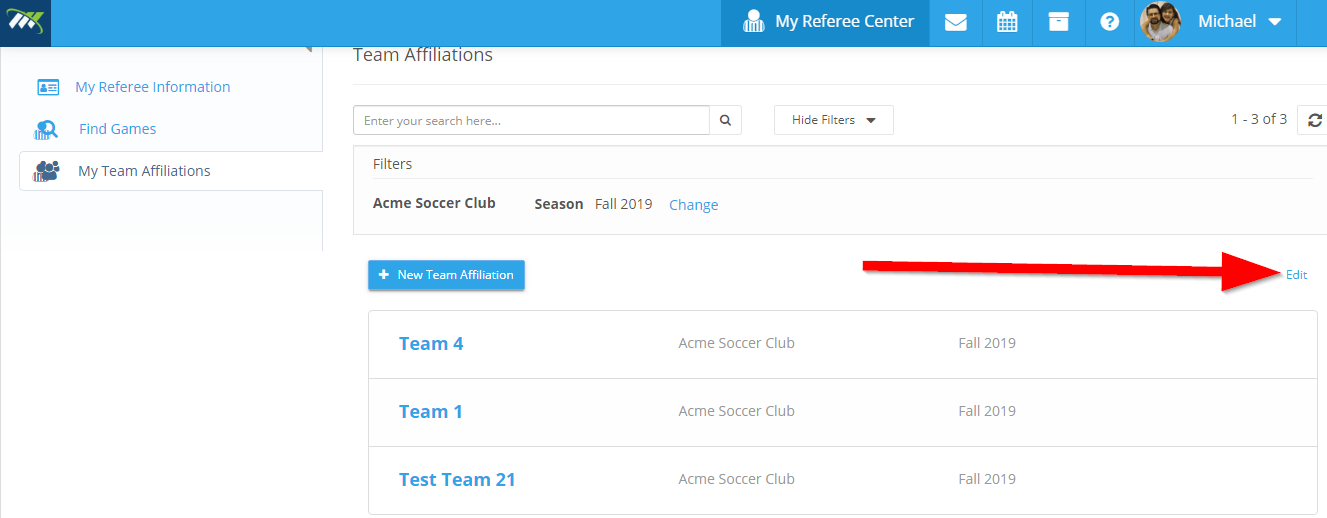
Step 4: Click on the Edit button on the right corner.
Step 5: Now, click on the team affiliation that you want to remove. You will notice a Delete Selected button on the top of the list.
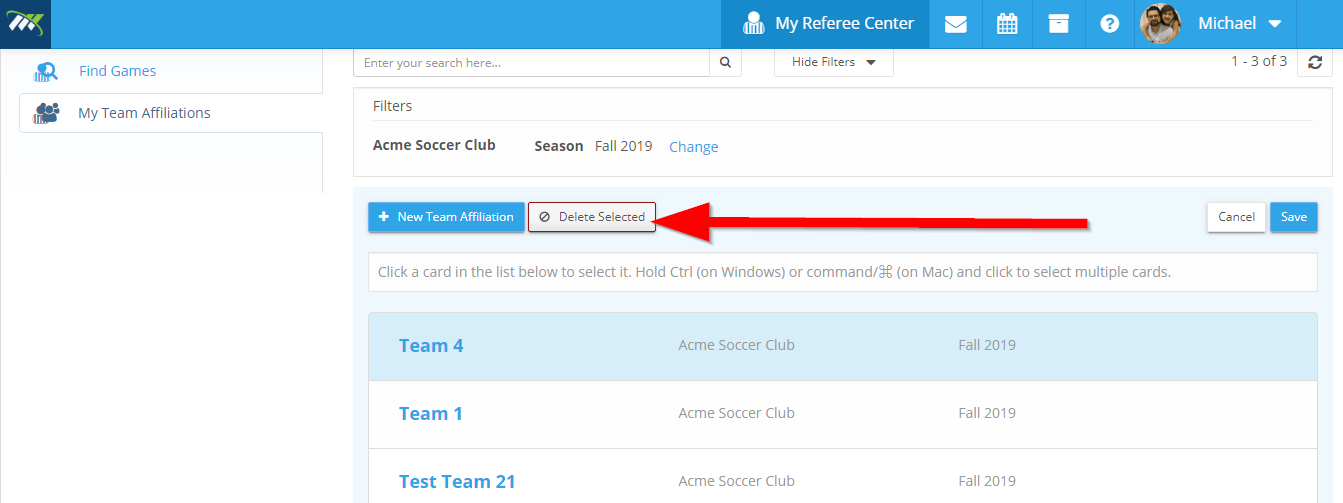
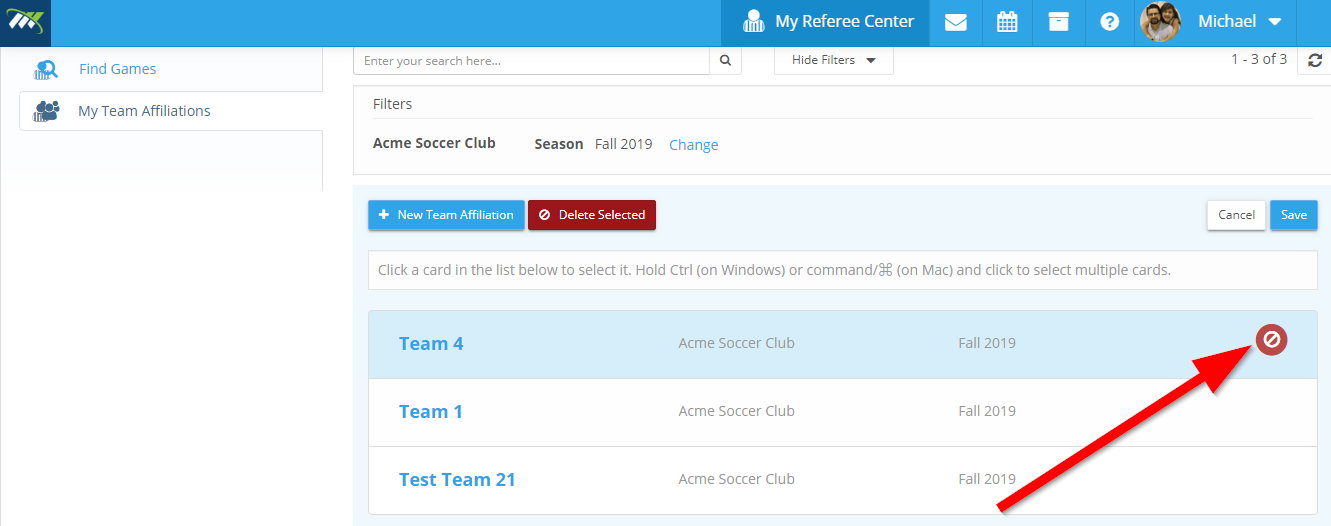
Step 6: As you click on the Delete Selected button, you will notice a red sign next to the team affiliate that you want to delete. The affiliation is now marked for deletion and ready to be saved (which will remove it).
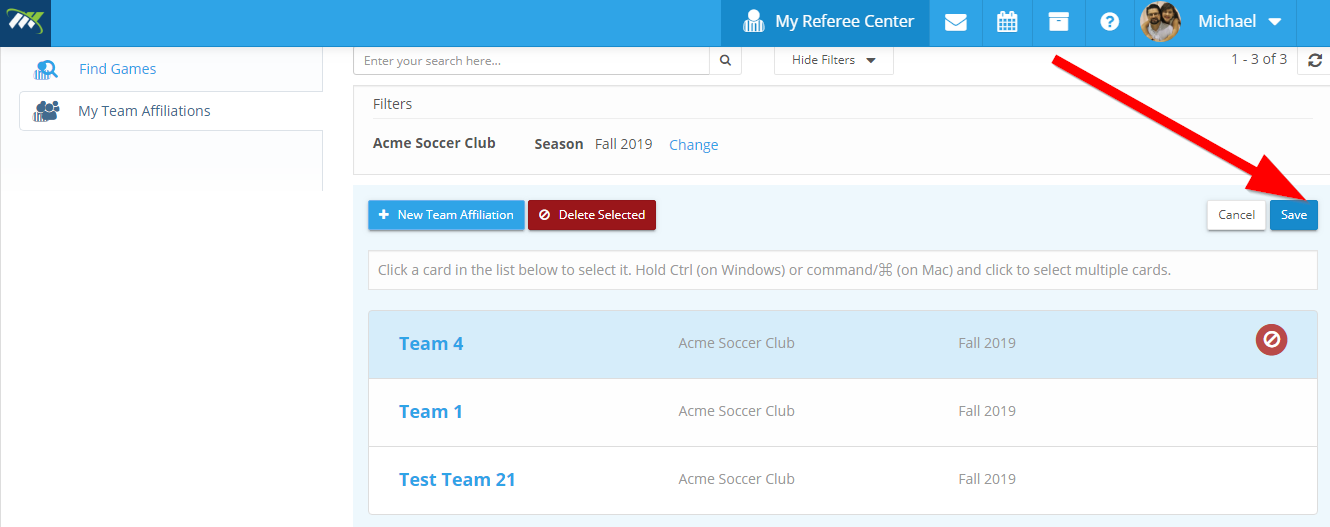
Step 7: Now, click on the Save button on the right corner.
Step 8: You will receive the "Team Affiliation Deleted Successfully" on your screen.
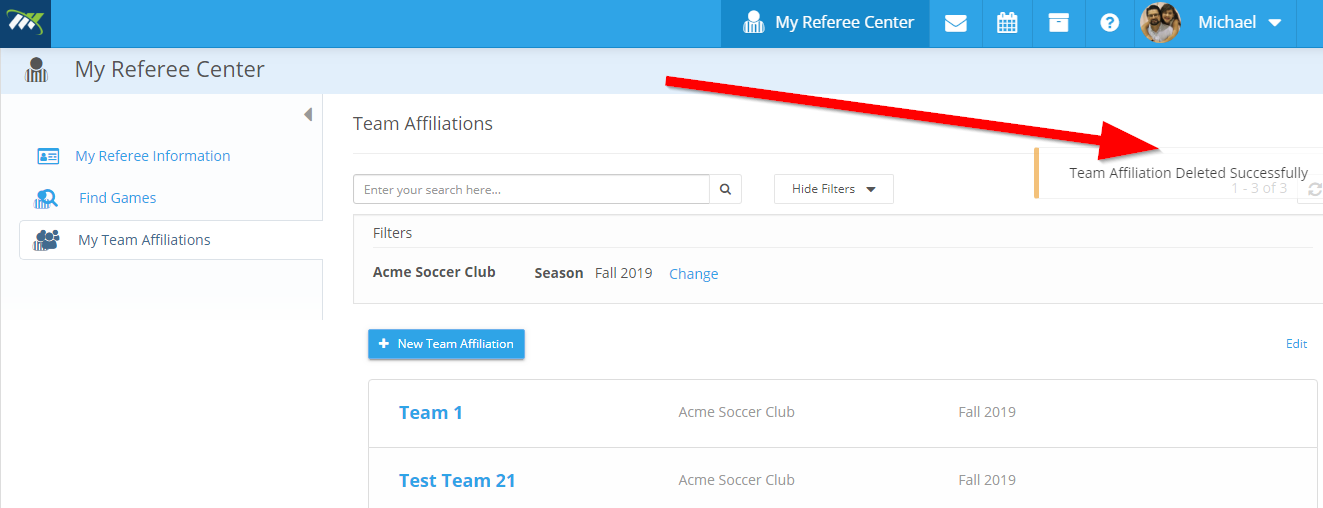
You have successfully deleted the team affiliation.
Comments
0 comments
Please sign in to leave a comment.