
You can easily view, sort, filter, and export your game and payment history in SportLynx.
Step 1: Log in to SportLynx and go to your Referee Center

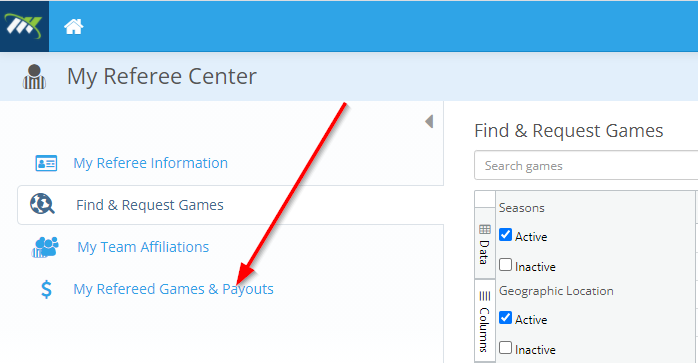
Step 2: Click on My Refereed Games & Payouts
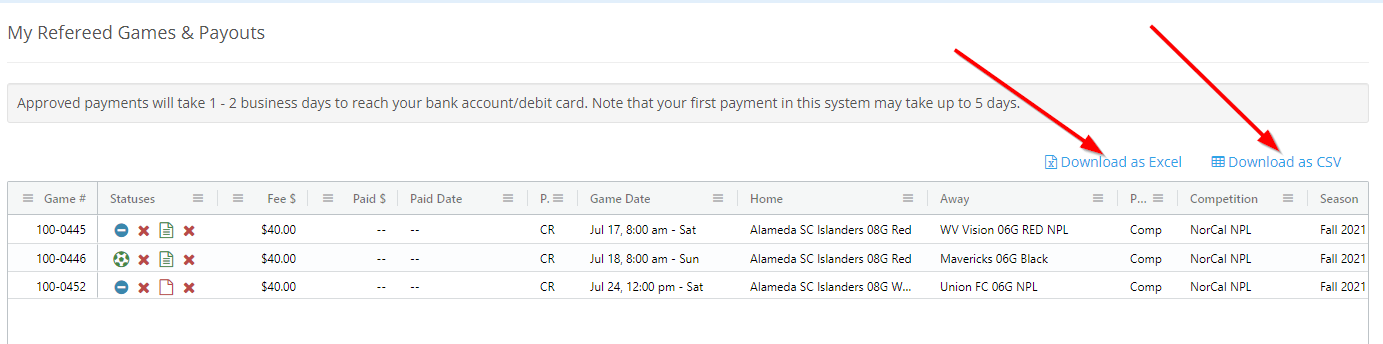
Step 3: Now you can see all your games along with their status information (played or canceled, game report status, attendance status, and payment status).
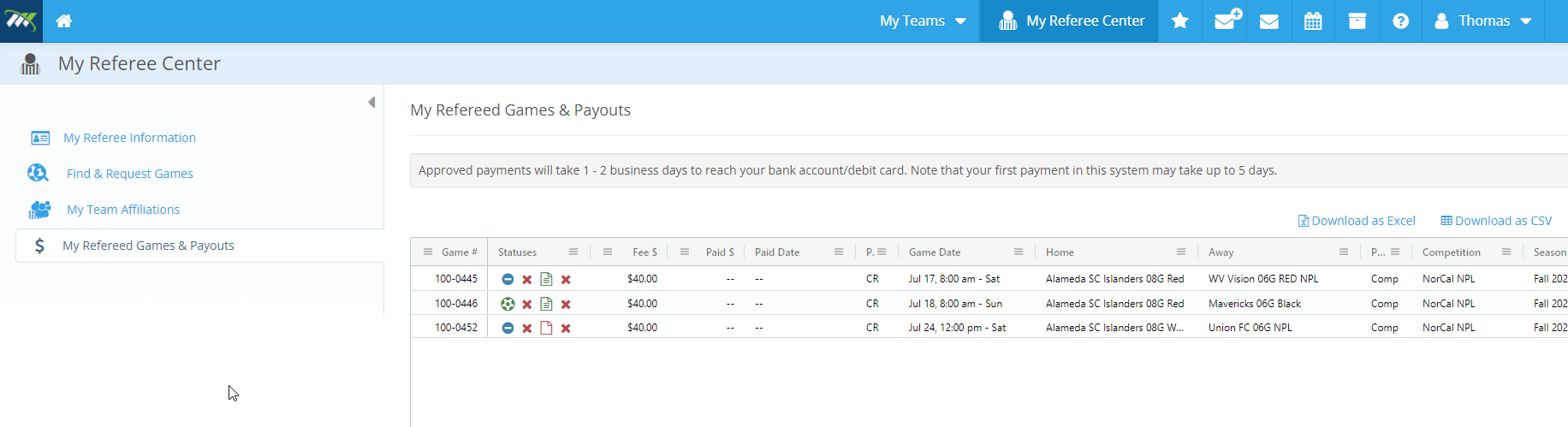
Sort, Filter, and Export
Sort
You can easily sort by any column by clicking the header of any column
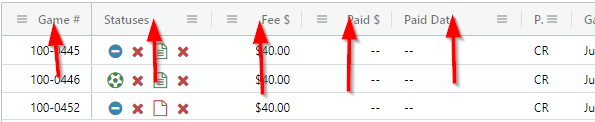
You can also sort by multiple columns if you click multiple column headers while holding the shift key on your keyboard.
Filter
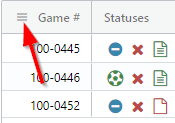
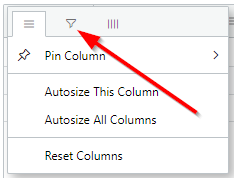
You can easily filter by any column. First, click the menu icon in the header you want to filter by
Next, click the filter icon
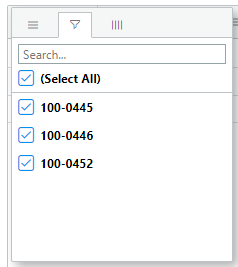
Now you can search and filter what you want to see
Export
First, filter for the rows that you want to see. Then, click the Download as Excel or the Download as CSV links on the right above the table
Comments
0 comments
Please sign in to leave a comment.