
On SportLynx, you can add or register any soccer site using an easy-to-follow process.
How to add a site to SportLynx:
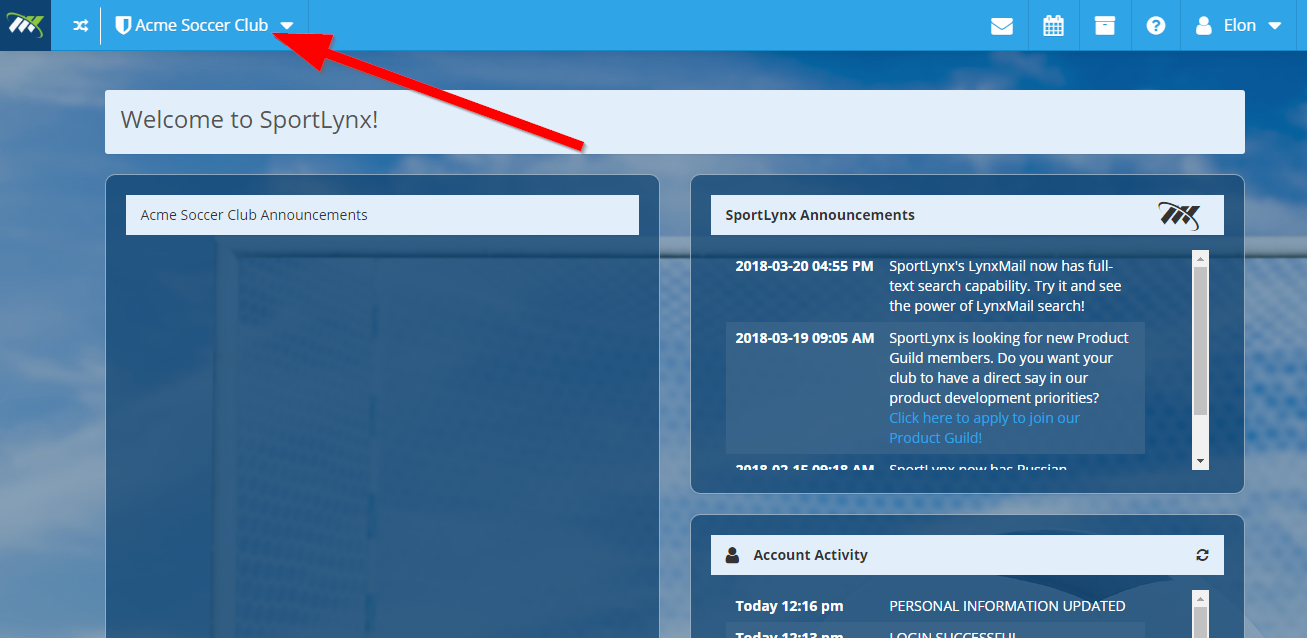
Step 1: Login to your Sportlynx account, and from the dashboard, click on your organization's drop-down menu.
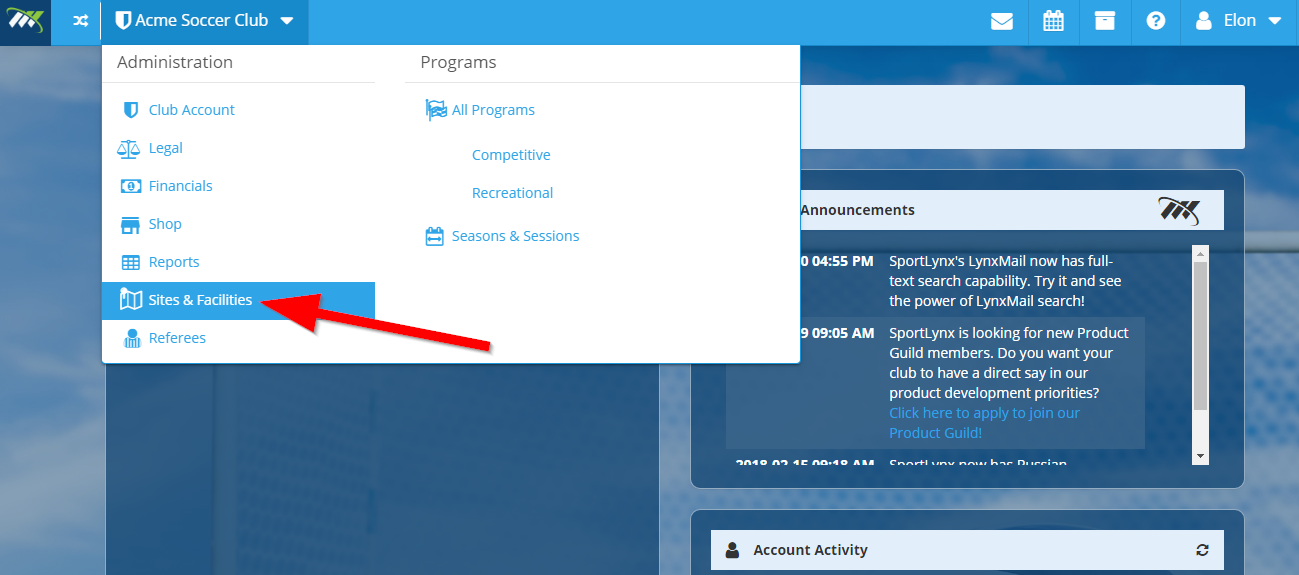
Step 2: From the drop-down list, click on "Sites & Facilities."
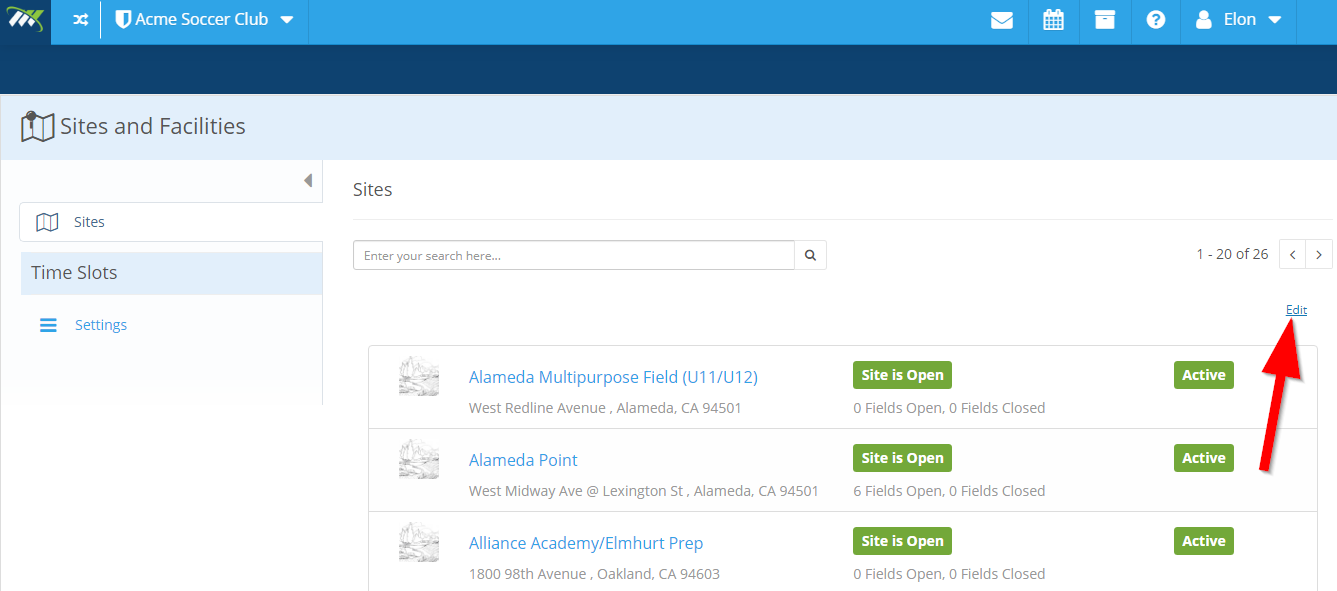
Step 3: Click on "Edit" on the right, just above the list of the sites.
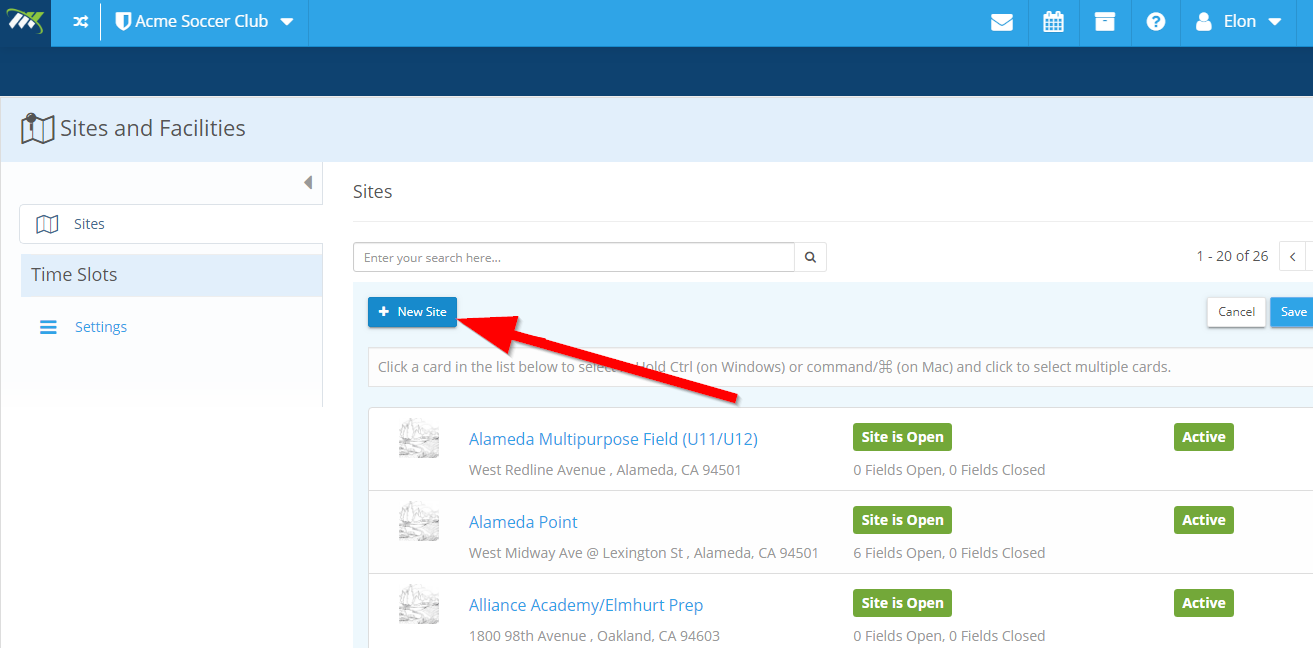
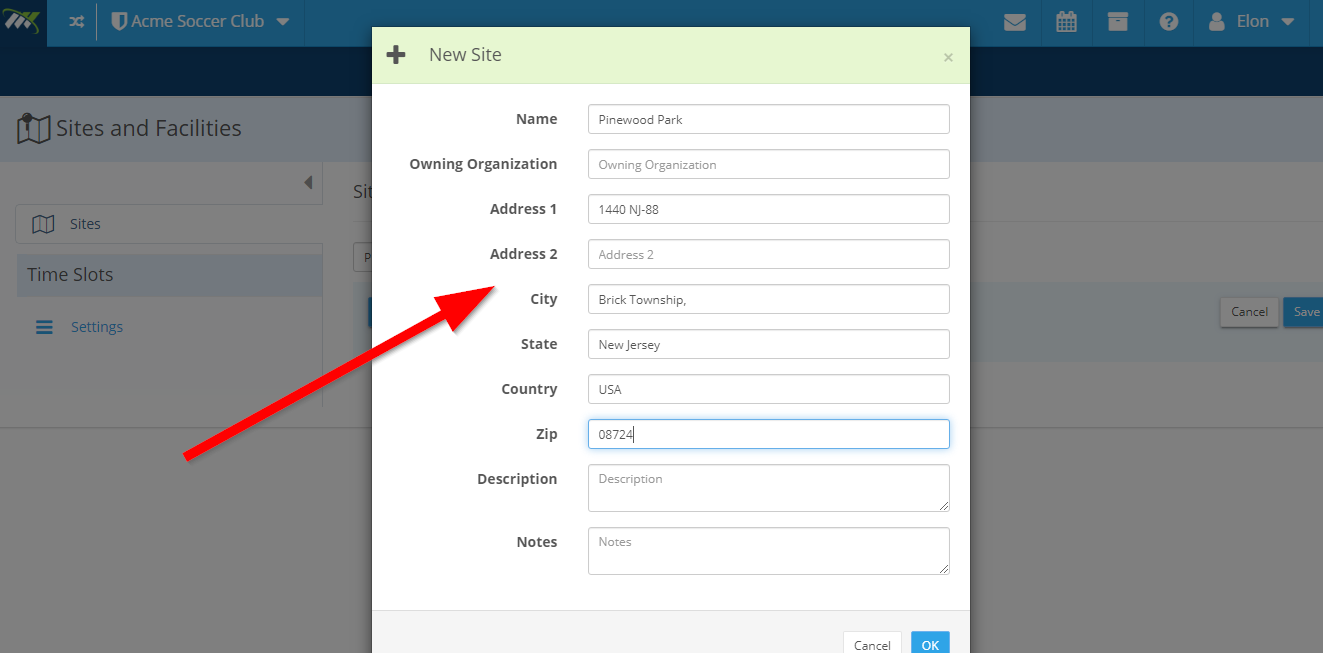
Step 4: Click on "+ New Site" button.
Step 5: Suppose we want to add Pinewood Park, enter the detail in the given fields, including name, owner, address, description, etc.
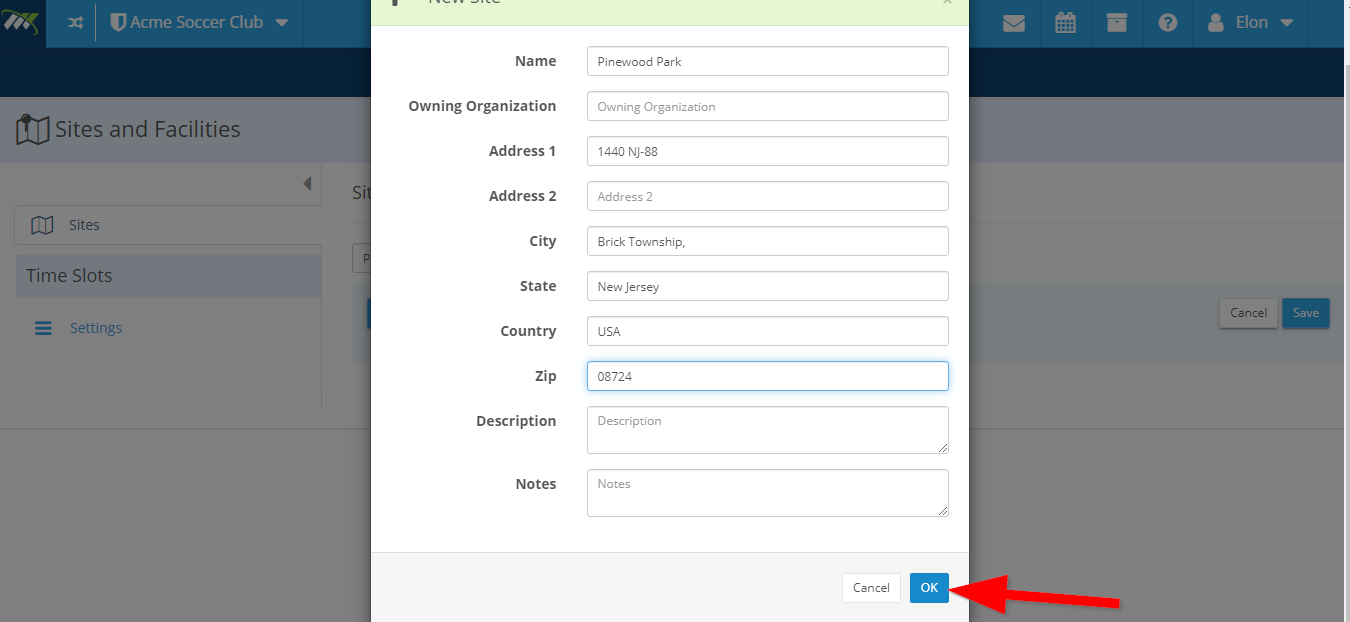
Step 6: Click the "Ok" button and
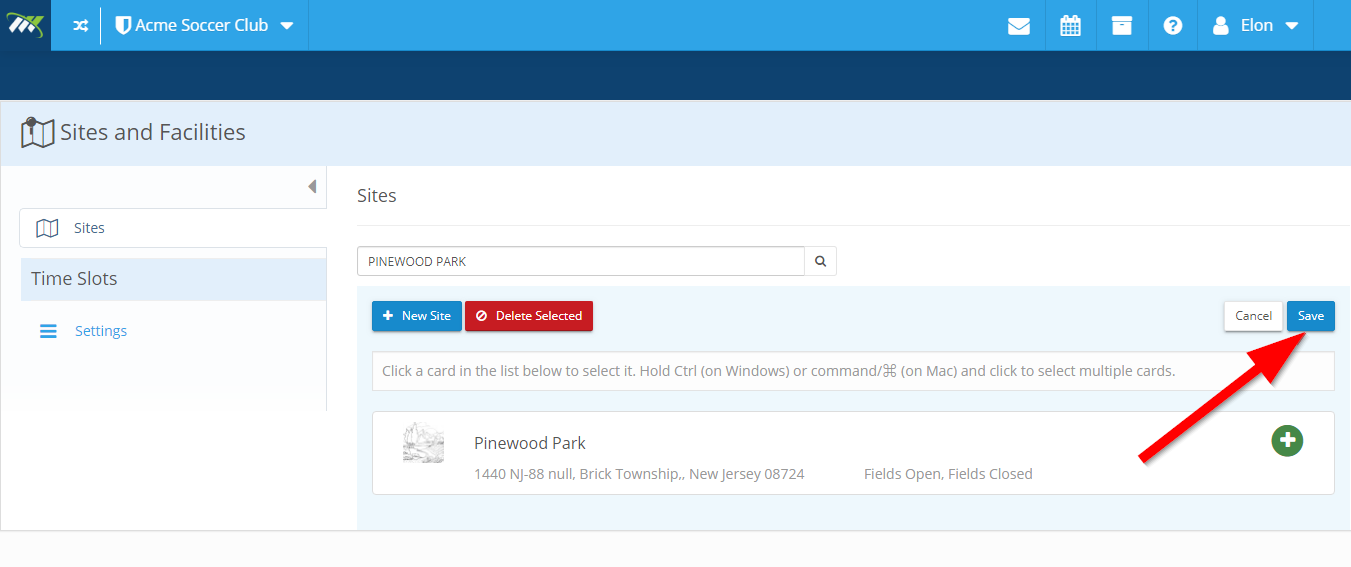
Step 7: Click the "Save" button.
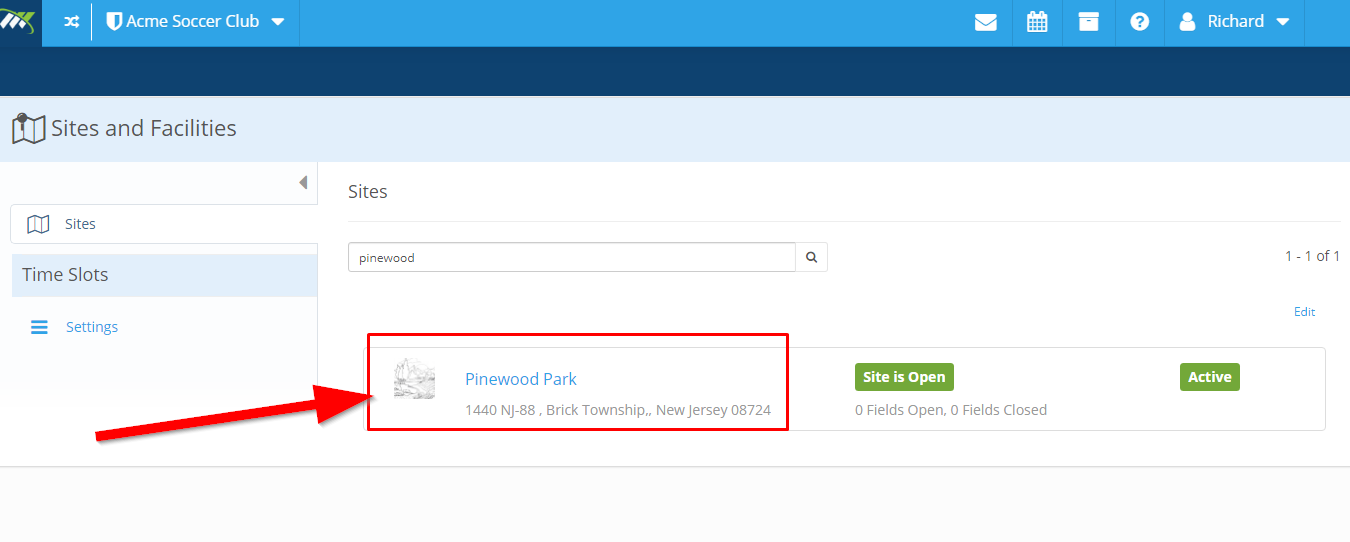
The site is created successfully.
Comments
0 comments
Please sign in to leave a comment.